01 / What it is
froog gives each agent its own Linux machine, with a browser, a desktop and a disk that persists, without you operating any infrastructure.
Ready in under a secondUbuntu · Debian · Omarchy · AndroidSSH & HTTP APIHTTPS URL for any port/dev/kvm inside
$8.16a month for 4 vCPU / 8 GB, made to run all month, or $20.78 with dedicated cores. A 1 vCPU sandbox is free with a card.
02 / In every sandbox
Pick an OS, everything else is ready
Every sandbox is a full Ubuntu 24.04 or 26.04, Debian 13 or Omarchy VM (or Ubuntu with an Android phone in it) with its own kernel, root, Docker, Chrome (Chromium on Omarchy) and ten coding agents installed. Drive it from the froog CLI or the HTTP API.
- Ubuntu24.04 or 26.04 LTS
- Debian13 (trixie)
- OmarchyArch Linux with the Hyprland desktop
- AndroidAndroid 14 on Ubuntu, with adb
- Sizes2–8 vCPU · 4–16 GB memory · 51–111 GB disk
- InstalledDocker, Chrome (Chromium on Omarchy), Node, Python, Go, Rust, Java and more
- Coding agentsClaude Code, Codex, Gemini CLI, OpenCode, pi, Amp, Cursor, Prime Agent, Kimi Code, Mistral Vibe
- DesktopXFCE at 1920×1080 (Hyprland on Omarchy) to watch in your browser, and a computer-use MCP server for agents · docs
- NetworkSSH from anywhere, HTTPS URLs for any port
03 / Android
A phone for every agent
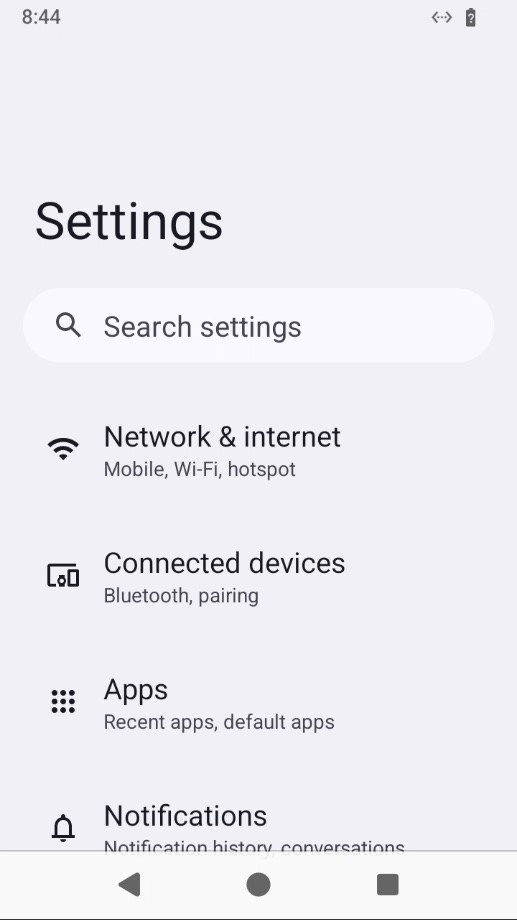
Pick Android and the sandbox comes with an Android 14 phone, booted and on adb. Agents install your APK, tap through it and read the screen, and you watch the phone on the sandbox's desktop. It's Android in a container on the sandbox's own kernel, not an emulator, so it's ready in under a minute.
- Start
froog new --os android, or Android in the dashboard - adbAlready connected:
adb install,logcatand Gradle'sinstallDebugjust work - Agent toolsScreenshot and UI tree in one call, then tap, swipe, type, launch and install, over MCP
- Watch itThe phone as a window on the desktop, live; click it to use it yourself
- Sizessmall and up, at the same price as any sandbox
- Not includedGoogle Play services; for apps that need them, run the Android emulator (
/dev/kvmis inside)
04 / What you get
At froog, the size you ask for is the size you get
On some sandbox providers it isn't clear whether you got what you requested: your vCPUs can be quietly shared with other customers, even though you asked for all of them.
05 / Two types
There are two types of sandbox: shared and dedicated.
Shared
$8.16 a month for 4 vCPU / 8 GB
Host cores shared with other sandboxes. For coding agents, dev servers, browsers and most CI.
Dedicated
$20.78 a month for 4 vCPU / 8 GB
Not shared: physical cores of its own. For compiles, test suites and anything CPU-bound for hours.
06 / Free tier
Free tier
Add a card and one lite sandbox is yours for $0 a month. Nothing is charged.
- vCPU1
- Memory2 GB
- Disk51 GB
- Price$0 a month
- InterruptibleWe can stop it at any time, with its disk saved.
- Stops when idleAn hour after each start, unless you extend it.
07 / Pricing
Your price, next to everyone's
froog is meant for sandboxes that run all month. Each one is billed by the month and runs 24/7 with nothing on top, so it costs the same whether it's busy or idle. Pick what you'd run; the others are their public list prices for the same machines running all month.
Each sandbox is resumable or ephemeral. Resumable keeps its disk when it stops, with hourly snapshots, forks, restores and off-site copies. Ephemeral is never snapshotted and a stop erases it, for a little less: a 4 vCPU / 8 GB one is $7.48 a month instead of $8.16. xlarge (16 vCPU, 32 GB) is on sale too, with shared vCPUs only.
Included: automatic snapshots for resumable sandboxes, a stopped sandbox's disk for 14 days, 10 saved snapshots, network traffic, HTTPS URLs for any port, the desktop at 60 fps and /dev/kvm. A 120 fps desktop is $0.05 an hour while you watch it.
$8.16 a month
froog billing capacity default=1
Sign up, add a card, and this setup is one click on the dashboard's Billing page.
08 / Long RL runs
Built for ultra-long RL sandboxes
Reinforcement learning environments run for days or weeks: thousands of episodes of an agent driving a real computer. A froog sandbox is a full VM with no session limit, so the environment that's mid-run at hour 200 is still there at hour 201, at the same flat monthly price.
- No session limitSandboxes in your setup run until you stop them: no 1-hour or 24-hour cap, and no auto-stop
- Flat pricePaid by the month, not by the second: a three-week run costs what a three-hour one does, $8.16 a month for 4 vCPU / 8 GB
- Steady step timesDedicated vCPUs are physical cores of their own, so episode timing doesn't swing with other customers' load
- A whole computerRoot, Docker, Chrome, a desktop and
/dev/kvm, for environments that need a full OS, not a container - Runs unattended
froog exec --detachkeeps a rollout worker going after you disconnect;froog logs -ffollows it - Disk keptSnapshots every hour while it runs; if a host restarts, the sandbox comes back with its disk intact
GET STARTED
Get started
Sign up and add a card: a 1 vCPU sandbox runs free, and froog billing capacity default=1 runs a 4 vCPU one 24/7 for $8.16 a month.
curl -fsSL https://froogcorp.com/install | sh